Practical guide
Photo animation examples: a kiss, a walk and a wave
The same movement does not suit every photograph. These three examples already appear in the Evermova studio: a close wedding portrait, two people walking and a seated portrait. Compare the original with its AI video, then use the visible pose to choose an action for your own photo. The English descriptions below are suggested adaptations from our current movement library, not verified records of the prompts originally used to create these clips.
Wedding portrait: keep the moment focused
The couple stand close together; both faces and the bouquet are visible. A gentle kiss can work with this framing because it needs a short movement between two people already beside each other. Keep their attention on one another rather than turning back toward the viewer. Preserve the black-and-white image and avoid asking the trees, flowers and every background detail to move. A different option is a closer embrace, using the arm already around the waist.
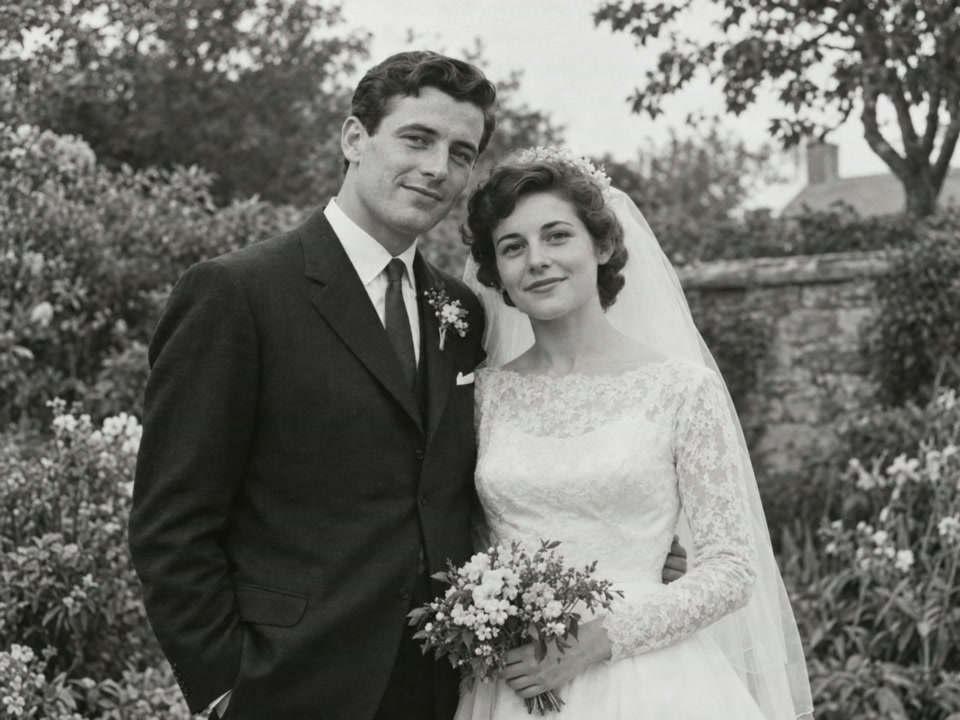
Suggested movement description
The couple lean toward each other and share one gentle kiss, then settle close together. They keep their attention on one another. Preserve facial features and the black-and-white photograph. Keep the background quiet.Walking photo: use the space already in the frame
Both people are standing on a path, their legs are visible and the framing leaves room for a small step. A short walk therefore fits this source better than a tight seated portrait. Identify both people and let one start a little before the other. Do not add a dance, a wave and a hug to the same five-second clip. Keep the existing hand contact if it matters to the scene.
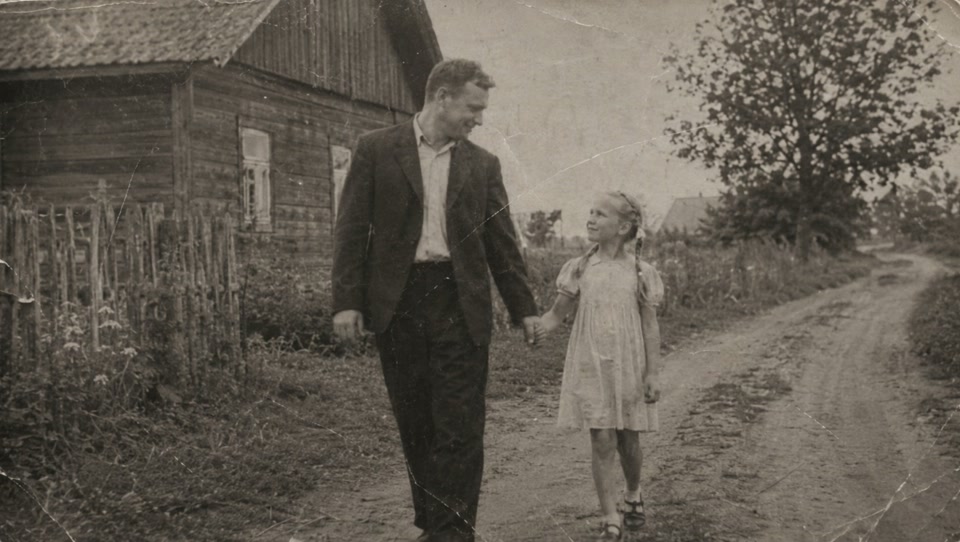
Suggested movement description
The two people take a few natural steps along the path, one starting a moment before the other. Preserve their hand contact and facial features. Keep the original vintage tones and the background quiet.Seated portrait: choose a hand gesture
The person is seated and an arm is visible. A small wave is more plausible than making the person stand up, inventing hidden legs and walking out of the boat. Describe which visible hand should rise, wave and lower; keep the head and gaze near their original position. A hand moving across the face can obscure important details. Preserve the original sepia tone rather than introducing modern colour.
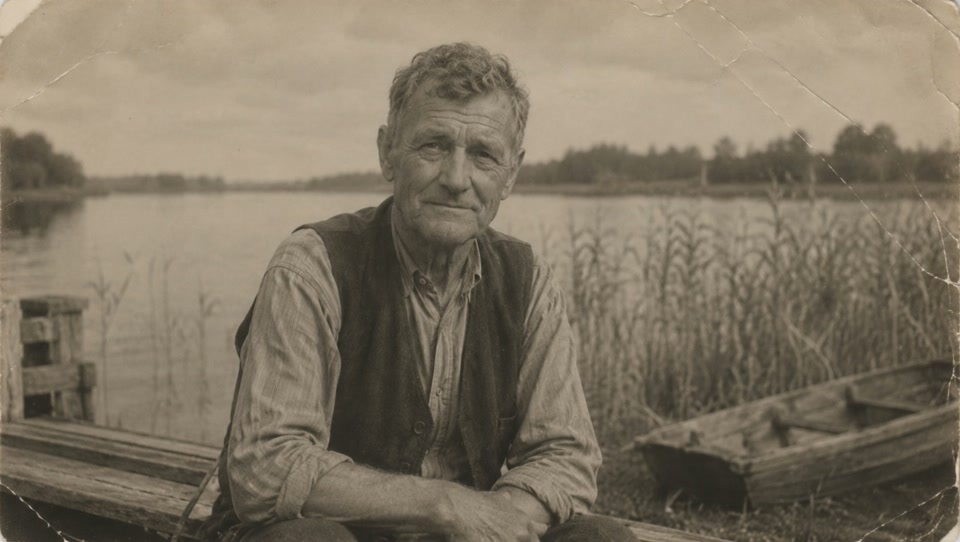
Suggested movement description
The seated person gently raises the visible hand into a small wave and lowers it, remaining seated. Keep the head and gaze in their original position, preserve facial features and the original sepia tones. Keep the camera still.Check details, not just whether the video moves
Watch the full clip and compare the eyes, outline of the face, hands, clothing and contact between people with the original. A fluent motion can still change a small detail. The model generates a new interpretation; it does not recover the actual movements of the people in the photograph. Keep an original copy and label shared results as AI animations.
Adapt the prompt before another generation
Use the prompt library to pick an action, then change the subject and photo style to match your image. Objects mentioned in a template must already be visible. You can write your own movement in Evermova in your preferred language. Each generation uses a paid video; another completed creative version is a new order. A confirmed technical failure without a completed video returns the reserved credit.